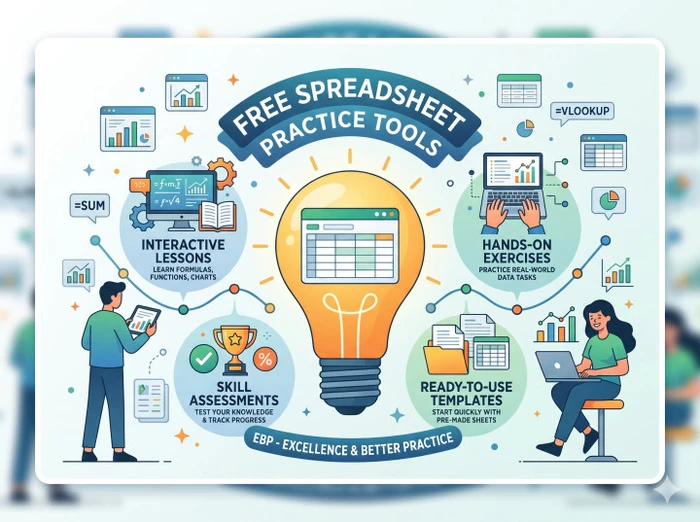
Most administrative roles expect one thing without saying it clearly: you should be comfortable working inside spreadsheets.
Not advanced dashboards. Not complex analytics. Just clean data handling, basic formulas, formatting, and the ability to not mess up a shared file.
That is where Spreadsheet Practice Tools come in. You are not choosing software for a company. You are choosing tools to help you practice real tasks such as data entry, sorting, formatting, simple calculations, and reporting.
For office and administrative support job seekers, the goal is simple. Learn fast, practice often, and handle spreadsheet-based tasks confidently in interviews and on the job.
| Tool | Best For | Practice Style | What You Can Practice | Beginner Friendliness | Real Job Relevance | Main Strength | Main Limitation | Free Access | Who Should Use It | Verdict |
|---|---|---|---|---|---|---|---|---|---|---|
| Excel Practice Online | Hands-on beginner drills | Interactive exercise-based practice | Basic formulas, formatting, sorting, filtering, tables, charts | Very high | High for entry-level spreadsheet comfort | Gets you practicing immediately instead of reading theory | Not deep enough for advanced office reporting tasks | Yes | Job seekers who want quick repetition without long lessons | Best starting tool for spreadsheet practice |
| GCFGlobal Excel | Learning from zero | Lesson-led guided learning | Spreadsheet basics, cell use, formulas, formatting, workbook navigation | Very high | Medium to high for complete beginners | Explains basics clearly without overwhelming the learner | More tutorial-heavy than practice-heavy | Yes | People who still feel nervous opening Excel or Sheets | Good first-step learning resource before serious practice |
| Spreadsheeto | Structured spreadsheet learning | Guided walkthroughs with practice orientation | Formulas, formatting, charts, tables, productivity shortcuts | High | High for interview preparation and office tasks | Balances explanation and practical execution well | Some stronger material sits behind paid access | Partial | Job seekers who want structure without dry textbook-style lessons | One of the best all-round learning options |
| Excel Easy | Concept clarity | Topic-based written tutorials | Formulas, functions, charts, pivots, formatting basics | High | Medium for direct job-task practice | Simple explanations make spreadsheet concepts easier to understand | Lacks strong simulation of real admin-style spreadsheet work | Yes | People who want clean explanations before trying exercises | Useful concept builder, but not enough on its own |
| Chandoo.org | Practical real-world spreadsheet usage | Example-driven learning | Dashboards, formulas, reporting logic, data cleanup, analysis workflows | Medium | High once you move beyond basics | Shows how spreadsheets are used in practical work scenarios | Can feel dense for early beginners | Yes | Job seekers who already know basics and want stronger task realism | Best level-up resource after the basics |
| ExcelJet | Formula mastery | Function-by-function explanation and examples | IF, SUMIFS, COUNTIFS, XLOOKUP, text functions, date functions | Medium to high | High for roles that expect formula confidence | Excellent at explaining what formulas do and how to use them | Not designed as a full spreadsheet workflow practice platform | Yes | People who get stuck on formulas and function logic | Best companion tool for formula practice |
| Google Sheets | Real workplace spreadsheet practice | Direct hands-on use in a live spreadsheet environment | Data entry, formulas, sorting, filters, sharing, comments, collaboration | High | Very high for modern office support roles | Lets you practice in a tool many companies already use | No guided learning unless paired with other resources | Yes | Every job seeker targeting office and administrative roles | Must-practice environment, even if not your teaching tool |
| Microsoft Excel | Market-standard spreadsheet exposure | Direct tool practice in the most recognized spreadsheet platform | Formatting, formulas, tables, filtering, workbooks, reporting basics | Medium | Very high for job descriptions and office credibility | Still the most recognized spreadsheet tool in hiring markets | Full experience usually requires paid access | Limited | Job seekers who want confidence in the tool recruiters expect to hear about | Must-know spreadsheet tool for job relevance |
| Airtable | Structured data organization | Spreadsheet-database hybrid practice | Field organization, simple records, views, lightweight tracking workflows | High | Medium for admin roles using modern workflow tools | Makes structured information easier to manage than a messy sheet | Not a true spreadsheet replacement for Excel-style tasks | Yes | Job seekers who want awareness of modern spreadsheet-adjacent tools | Useful optional skill, not a core spreadsheet practice tool |
| W3Schools Excel | Quick topic lookup | Short explain-and-try style learning | Basic formulas, functions, tables, charts, spreadsheet concepts | High | Medium for reinforcing basics fast | Easy to scan when you need one concept quickly | Too shallow for deep spreadsheet skill-building alone | Yes | People who want fast refreshers instead of long tutorials | Good support resource for quick revision |
| Contextures | Data cleanup and practical Excel tasks | Example-based reference learning | Drop-downs, validation, lists, cleanup, templates, everyday spreadsheet fixes | Medium | High for realistic admin and office spreadsheet work | Very useful for practical spreadsheet problems that show up in real work | Interface feels dated and less beginner-friendly | Yes | Job seekers who want to move beyond basic formulas into useful office tasks | Strong practical resource for real spreadsheet work |
| TrumpExcel | Productivity-focused Excel learning | Tutorial-driven with practical use cases | Shortcuts, formulas, dashboards, cleanup, reporting, automation basics | Medium to high | High for improving day-to-day spreadsheet speed | Strong mix of practical Excel use and workplace productivity | Can feel slightly broad if you only need admin basics | Yes | People who want to become faster and more confident in Excel tasks | Good progression tool after beginner-level practice |
What matters when choosing these tools
When you are learning spreadsheets for administrative roles, the tool itself is not the skill. The skill is accuracy, clarity, and confidence while working with data.
The best Spreadsheet Practice Tools usually help in one of three ways. They give you guided exercises, provide real datasets to work on, or let you practice in an actual spreadsheet environment.
Watching tutorials does not build skill. You need repetition. You need to type formulas, fix mistakes, and understand why something breaks.
Another important factor is relevance. Administrative roles rarely need advanced analytics. They need:
- sorting and filtering
- basic formulas like SUM, COUNT, IF
- formatting clean tables
- handling small datasets without errors
So the right tool is the one that lets you practice these tasks repeatedly without unnecessary complexity.
Best Tools to Learn Meeting Minutes and Note-Taking for Administrative Assistants
Best 5 Tools to Learn CRM for Customer Support Jobs
Best AI Tools for Customer Support Chat Practice
Excel Practice Online
This is one of the simplest ways to start.
It gives you direct exercises instead of long lessons. That matters because most beginners do not struggle with understanding. They struggle with doing.
Compared with GCFGlobal, this is more practice-heavy. Compared with Spreadsheeto, it is simpler but less structured.
Use it if you want to get comfortable quickly with basic spreadsheet actions.
GCFGlobal Excel
GCFGlobal is more of a learning platform than a practice tool.
It explains concepts clearly, which helps if you are starting from zero. But it does not push you hard enough into repetition.
Compared with Excel Easy, it feels more beginner-friendly. Compared with PracticeSpreadsheet, it is less hands-on.
Use it to understand concepts, then switch to a practice-heavy tool.
Spreadsheeto
Spreadsheeto sits between learning and doing.
It gives you structured walkthroughs that feel closer to real usage. That makes it useful for job seekers who want guided practice without getting lost.
Compared with Excel Practice Online, it is more structured. Compared with Chandoo, it is lighter and easier to follow.
Some parts are paid, but even the free content is enough to build a solid base.
Excel Easy
Excel Easy is exactly what the name suggests.
It straightforwardly explains concepts without overwhelming you. That makes it useful early on.
But it lacks depth in real task simulation. Compared with ExcelJet, it is simpler. Compared with PracticeSpreadsheet, it is less practical.
Use it for clarity, not for long-term practice.
Chandoo.org
This is where things start feeling real.
Chandoo gives you practical examples that reflect how spreadsheets are actually used. That makes it valuable once you move past the basics.
Compared with Spreadsheeto, it is deeper but heavier. Compared with Excel Easy, it demands more effort.
Use it when you are ready to move from “learning” to “doing real tasks.”
ExcelJet
ExcelJet is strong for formula learning.
If you struggle with functions like IF, VLOOKUP, or COUNT, this tool helps break them down clearly.
But it is not workflow-focused. It will not teach you how to manage a full spreadsheet task.
Use it alongside a practice tool, not as your only resource.
PracticeSpreadsheet
This is where you actually get your hands dirty.
You work on sample datasets, which is exactly what administrative roles expect. That makes it one of the most practical tools here.
Compared with GCFGlobal, it is more hands-on. Compared with ExcelJet, it is less about formulas and more about usage.
Use it regularly to build confidence.
Google Sheets
You cannot skip this.
Many companies use Google Sheets for everyday work. If you have never worked inside it, you will feel lost in a real job.
It has no guidance. That is the point. It forces you to apply what you learned.
Pair it with any of the above tools for practice.
Microsoft Excel
Excel is still the standard in many offices.
Even basic familiarity goes a long way in interviews. You do not need advanced skills, but you should not look uncomfortable using it.
Compared with Google Sheets, it is slightly heavier. But the core skills are similar.
Treat this as essential exposure.
Airtable
Airtable is not a traditional spreadsheet, but it is useful to understand structured data.
Some administrative roles use tools like this for organizing information.
Compared with Excel or Sheets, it is simpler but less flexible.
This is optional, but useful for awareness.
Best AI Tools to Research a Company Before Interview for Sales Jobs
Free Tools to Improve Speaking Confidence for Sales Interviews
Otter vs Fireflies for Mock Interviews: Which One Helps Sales Candidates Improve Faster?
Decision rules
Choose Excel Practice Online for quick, hands-on drills.
Choose Spreadsheeto if you want guided practice that feels structured.
Choose PracticeSpreadsheet if you want realistic datasets to work on.
Choose ExcelJet if your main struggle is formulas.
Use Google Sheets and Microsoft Excel alongside everything else because that is where actual work happens.
For most office and administrative support job seekers, the safest path is:
Start with Excel Practice Online, move to Spreadsheeto, and practice regularly in Google Sheets.
FAQs
What are the best Spreadsheet Practice Tools for beginners?
Excel Practice Online, GCFGlobal, and Spreadsheeto are the easiest starting points.
Do I need to learn Excel or Google Sheets?
Both are useful. Google Sheets for accessibility, Excel for market relevance.
Are spreadsheet skills important for admin jobs?
Yes. Most roles expect basic spreadsheet handling as a core skill.
Which formulas should I learn first?
SUM, COUNT, IF, and basic filtering and sorting.
Is Airtable required for admin roles?
No. It is useful but not essential.
How can I practice spreadsheets without real data?
Use tools like PracticeSpreadsheet or create your own small datasets.
How long does it take to learn basic spreadsheet skills?
With daily practice, you can become comfortable in a few weeks.
Do recruiters test spreadsheet skills?
Some do. Many expect you to demonstrate basic comfort during tasks.
Wrap Up
The right Spreadsheet Practice Tools help you move from watching to doing. Focus on repetition, not just learning.
For most job seekers, start simple and practice inside real spreadsheet tools.