Calendar work shows up faster than you expect.
Schedule meetings. Fix conflicts. Send invites. Handle last-minute changes. Follow up when people don’t respond. That is daily admin work.
These Best Calendar Scheduling Tools are not about “team productivity.” They are about helping you handle real scheduling tasks without messing up.
Some tools here help you practice. Some help you understand how scheduling actually works in offices. A few matter because companies already use them.
| Tool | Best For | Ease | Real Work Use | Free Plan | Verdict |
|---|---|---|---|---|---|
| Calendly | Auto booking | Very easy | High | Yes | Best starting tool |
| SavvyCal | Flexible scheduling | Easy | Medium | Trial | Clean experience |
| Reclaim AI | Auto calendar control | Medium | Medium | Yes | Smart automation |
| Clockwise | Time optimization | Medium | Medium | Yes | Advanced use |
| Motion | Auto scheduling | Medium | Medium | Trial | Powerful but heavy |
| Calendar.com | Basic scheduling | Easy | Low | Yes | Basic option |
| Doodle | Group scheduling | Easy | High | Yes | Best for polls |
| Setmore | Appointment booking | Easy | Medium | Yes | Simple booking tool |
| Acuity Scheduling | Client scheduling | Medium | Medium | Trial | Structured setup |
| YouCanBookMe | Booking pages | Easy | Medium | Yes | Good alternative |
| Outlook Calendar | Corporate scheduling | Medium | Very high | No | Must know |
| Google Calendar | Daily scheduling | Easy | Very high | Yes | Essential skill |
How We Evaluated These Tools
Calendar tools are easy to pick. Hard to use properly.
The real test is not “can you create a meeting.” It is:
Can you manage schedules without confusion?
First, ease of use. You should be able to create, edit, and reschedule without thinking too much.
Second, real task relevance.
Scheduling interviews. Handling back-and-forth emails and managing availability. These are the actual use cases.
Third, free plan usability.
If you cannot practice properly, the tool is useless for job prep.
Fourth, workflow clarity.
Does the tool help you avoid double-booking? Can you manage time blocks cleanly?
Finally, workplace relevance.
Some tools are for practice. Some are used in real jobs. You need both awareness and hands-on skills.
Calendly
Calendly is worth knowing because booking links are now normal. Instead of chasing people over email, you share availability and let them pick a slot.
For office and admin roles, that matters. Learn the basics: availability windows, buffers, and booking rules. Compared to Doodle, it is better for one-to-one scheduling. Compared to Google Calendar, it is a booking layer, not your main calendar.
Best AI Tools for Customer Service Email Responses That You Never Explored
Google Calendar
Google Calendar is a core skill, not optional polish. If you cannot create events cleanly, send invites, manage recurring meetings, and block time properly, you are weak on a basic admin task.
This is the tool to know well. Compared to Calendly, it is less about the booking flow. Compared to Outlook, it is easier and lighter. Start here if you want one tool that transfers almost everywhere.
Outlook Calendar
Outlook Calendar matters because many corporate offices still run on it. It is more formal than Google Calendar and more relevant for roles that involve internal coordination, meeting management, or executive support.
Learn invites, availability checks, rescheduling, and recurring meetings. Compared to Google Calendar, it feels heavier. Compared to Calendly, it is much more about internal calendar control than booking links.
Doodle
Doodle is useful for one thing: getting a group to agree on a time without chaos.
You do not need great skill here. Just know how to create a poll, collect responses, and lock the final slot. Compared to Calendly, it is better for group coordination. Compared to Google Calendar, it solves a narrower problem.
Best Free Spreadsheet Practice Tools for Office and Administrative Support Jobs
SavvyCal
SavvyCal is a lighter alternative to Calendly—same general idea, but a bit smoother in how it handles shared availability.
You do not need to prioritize it. If you already understand Calendly, you will understand this quickly. Compared to Calendly, it feels more refined. Compared to Google Calendar, it is still a booking tool rather than a core calendar skill.
Setmore
Setmore is useful when scheduling is closer to appointments than internal meetings. That makes it more relevant to front desk, reception, or client-facing admin roles.
Learn it if the job involves booking people into time slots. Compared to Calendly, it feels more service-oriented. Compared to Acuity, it is simpler and easier to pick up.
Acuity Scheduling
Acuity is more detailed and more structured. It is better when scheduling needs rules, buffers, forms, and a cleaner booking setup.
That makes it useful, but not essential for most office and admin job seekers. Compared to Setmore, it gives you more control. Compared to Calendly, it requires more setup and more effort.
YouCanBookMe
YouCanBookMe sits in the same lane as Calendly. Booking pages, shared availability, simple scheduling flow.
It is worth recognizing, not mastering. If you are familiar with Calendly, you do not need to spend much time here. Compared to Calendly, it has less mindshare. Compared to SavvyCal, it feels more straightforward.
Reclaim AI
Reclaim AI is for people who want the calendar to manage itself a bit more. It blocks time, protects focus hours, and automatically organizes schedules.
Interesting tool. Low priority for this audience. Compared to Google Calendar, it adds automation. Compared to Motion, it feels less aggressive and easier to understand.
Clockwise
Clockwise is built around time optimization. The idea is simple: move things around so calendars become less fragmented.
That is useful in busy teams, but not where most job seekers need to spend time first. Compared to Reclaim, it is more focused on calendar efficiency. Compared to Outlook or Google Calendar, it is an add-on layer, not the foundation.
Motion
Motion is the heaviest tool in this list. It tries to auto-schedule both meetings and tasks, which sounds smart but can feel like too much if you are still learning the basics.
For most office and admin job seekers, this is not where the value is. Compared to Reclaim, it is more forceful. Compared to Calendly, it is far less simple. Know it exists. Do not start here.
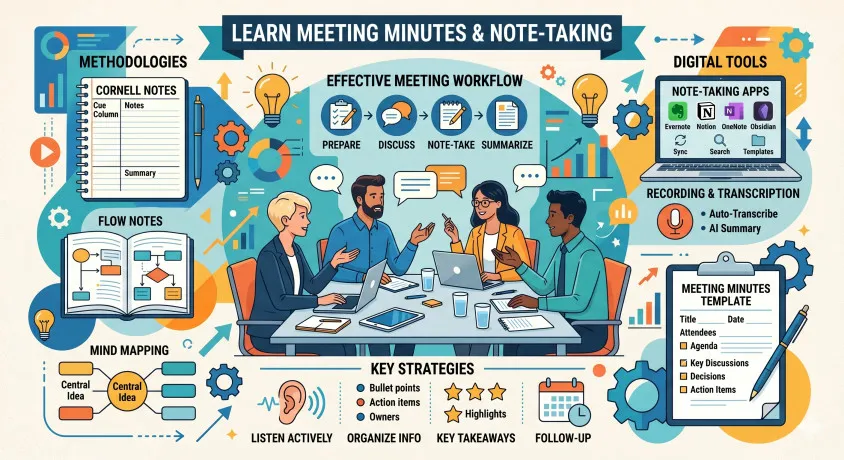
Best Tools to Learn Meeting Minutes and Note-Taking for Administrative Assistants
Decision rules
Start with Google Calendar. It teaches the core habits: creating events properly, sending invites, handling recurring meetings, and managing time without confusion.
Add Calendly next. It solves the booking problem that Google Calendar does not. Once you understand availability links, buffers, and booking rules, you will look more current.
Learn Outlook Calendar if you are targeting corporate admin roles. That is where the workplace signal is stronger, especially for internal coordination and meeting management.
Use Doodle only for group scheduling. Useful tool. Narrow use case.
Treat Setmore and Acuity as role-specific picks. They matter more if the job involves appointment-style scheduling, client bookings, or front-desk coordination.
Do not spend early time on Reclaim AI, Clockwise, or Motion. They are not useless. They are just not where an ordinary job seeker gets the best return.
For most office and administrative support job seekers, the right stack is simple: Google Calendar first, Calendly second, Outlook Calendar for workplace readiness.
FAQs
What are the best calendar scheduling tools for office and administrative support jobs?
Google Calendar, Calendly, and Outlook Calendar are the strongest tools to start with because they cover daily scheduling, booking flow, and workplace coordination.
Is Google Calendar enough for admin job preparation?
It is enough for building core scheduling habits, but not enough on its own if you want to show wider tool awareness.
Do office and admin job seekers need to learn Calendly?
Yes, because booking links are common now, and many roles expect basic comfort with that workflow.
Is Outlook Calendar more important than Google Calendar?
For corporate roles, often yes. For general learning, Google Calendar is a good place to start.
What is the easiest scheduling tool to learn first?
Calendly is the easiest dedicated scheduling tool. Google Calendar is the easiest full calendar tool for building real habits.
Are AI calendar tools worth learning for admin jobs?
Not at the beginning. Core scheduling skills matter more than automation layers.
Which tool is best for scheduling meetings with multiple people?
Doodle is the clearest pick when you need a group to agree on one slot.
Should I learn Setmore or Acuity Scheduling?
Only if the role involves appointment booking, reception work, or client-facing scheduling.
Is Calendly better than Google Calendar?
No. They solve different problems. Calendly helps people book time. Google Calendar helps you manage your calendar.
Which calendar scheduling tool matters most in interviews?
Google Calendar and Outlook Calendar usually matter more because they connect directly to day-to-day admin work.
Wrap Up
Best Calendar Scheduling Tools are only useful if they make you better at real scheduling. Start with Google Calendar, add Calendly, and learn Outlook if corporate roles are the target. That is enough for most job seekers.