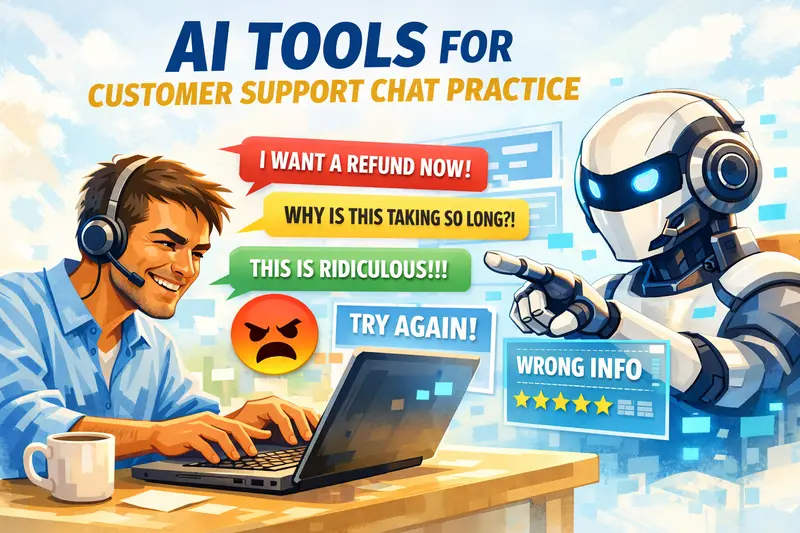
Customer service job seekers do not get hired just because they know what to say on paper. They get hired when they can handle a live conversation without sounding lost, robotic, defensive, or weak. That is why tools to practice customer service call scripts matter. The best ones do not just feed you lines. They help you improve delivery, structure, tone, objection handling, and recovery when the customer goes off-script.
That is the real decision here. You are not looking for call center software. You are looking for tools that help you practice openings, empathy lines, verification flow, issue diagnosis, escalation handling, angry-customer responses, and closing statements before interviews or real job calls.
Some tools are better for voice-based practice. Some help with script writing and rewriting. A few are more useful for roleplay and feedback than for actual script creation. That difference matters, because customer service call work is not just about reading words. It is about how you respond when the conversation stops following the script.
For most readers, the strongest tools here will be the ones that let you rehearse real scenarios repeatedly, hear yourself back, and improve without needing a full business support stack.
| Tool | Best For | Strength | Limitation | Free Plan | Verdict |
|---|---|---|---|---|---|
| Call Simulator | Practicing realistic customer service call situations | Feels closer to an actual back-and-forth support conversation | Not the easiest tool for solo practice at home | No | Best default |
| Second Nature | AI roleplay for handling customer conversations | Gives more dynamic responses instead of static script output | Better suited to structured training than casual self-practice | No | Best premium pick |
| Talkio AI | Practicing spoken delivery of support call scripts | Useful for repeating responses until they sound smoother | More helpful for fluency than for true customer support logic | Trial | Great fluency tool |
| InterviewBuddy | Mock call practice under interview-style pressure | Helps build confidence when speaking live to another person | Not focused only on customer service call scenarios | Limited | Confidence builder |
| HyperWrite | Generating first drafts of customer service call scripts | Quickly gives you a starting script when you are stuck | The output can sound too polished if you do not rewrite it | Limited | Strong starting tool |
| TextCortex | Creating different versions of support call scripts | Useful when you want to test multiple response styles | It is broader than a dedicated customer support practice tool | Yes | Useful niche pick |
| Taskade | Generating structured customer service script ideas | Gives scenario-based script output quickly and clearly | Works better for guided formats than natural messy calls | Yes | Direct fit |
What to Look for in Tools to Practice Customer Service Call Scripts
Do not judge these tools by how nicely they generate a script. Judge them by whether they help you sound better on a live call. The right tool should improve how you open a conversation, ask clarifying questions, handle frustration, explain next steps, and close the call without sounding memorized.
The tools to practice customer service call scripts should help you…
- Practice angry customers, billing questions, delayed orders, account access issues, transfers, and escalation calls.
- With pacing, hesitation, filler words, and confidence, not just written wording.
- Adjust the same script for customers who are calm, upset, confused, or impatient.
- Notice weak spots, such as sounding too flat, too defensive, too rushed, or too vague.
- Make it easy to rehearse the same scenario multiple times until the delivery improves.
- With enough room to practice regularly before pushing you into a paid plan.
- Write scripts. Others help you speak them. The best picks usually combine both.
Call Simulator
Call Simulator is the best fit here when the goal is not just writing a script, but seeing whether that script survives a live conversation. Many customer support job seekers prepare neat, polished lines that collapse the moment the customer interrupts, changes direction, or gets irritated. This tool is useful because it pushes the practice closer to that reality.
This is a strong pick for readers who want to rehearse:
- Angry customer calls
- delayed order complaints
- account access issues
- refund pushback
- escalation requests
Its biggest strength is realism. It helps you move beyond “memorized answer” mode and into actual response handling. That makes it more useful than HyperWrite or Taskade when your script looks fine on paper but fails when spoken.
Avoid it if you only want a quick script draft. This is better for practice than for first-write generation.
Second Nature
Second Nature is a stronger option when you want AI roleplay that pushes back. That matters because customer service calls rarely stay clean and linear. Customers interrupt, repeat themselves, ignore your explanation, or ask for something outside policy. A tool like this is useful because it gives you friction to react to.
This fits job seekers who already have a basic script structure and now need harder practice.
Use it for:
- objection handling
- staying calm under pressure
- repeating policy without sounding robotic
- Practicing alternative responses when the first answer fails
It is more dynamic than Taskade or TextCortex because it does not just give script output. It is closer to simulated call handling. The trade-off is that it is heavier and less casual for everyday solo practice.
Talkio AI
Talkio AI makes more sense when the issue is spoken fluency rather than script logic. Some people know what to say, but the moment they speak, the reply becomes uneven. Too many pauses. Flat delivery. Hesitation. Strange pacing. That is where this tool helps.
This is a good fit if your call-script practice problem sounds like this:
- “I write better than I speak.”
- “I lose confidence halfway through.”
- “My words sound unnatural when spoken aloud.”
It is useful for:
- repeating openings until they sound smoother
- practicing empathy lines
- improving call-closing statements
- reducing awkward pauses
It is weaker than Call Simulator in terms of support for realism. It is also weaker than HyperWrite for creating scripts from scratch. But if your wording is decent and your spoken delivery is poor, this becomes a more practical tool than a plain script generator.
InterviewBuddy
InterviewBuddy is less about customer support scripting itself and more about pressure. That still makes it useful. A lot of customer service job seekers prepare on their own, sound fine on their own, and then fall apart when someone else is listening.
This tool is useful when your problem is performance, not vocabulary.
It works well for:
- mock HR rounds
- support role interview practice
- confidence building
- staying composed while answering aloud
It is better than Talkio AI for human-to-human interaction. It is worse than Call Simulator if your goal is pure support-call realism. Use it to test whether your script still works under pressure.
HyperWrite
HyperWrite is one of the better tools in this list for getting an initial script on the page quickly. If you freeze when starting, this helps. You can feed it a situation, such as a customer angry about a delayed delivery, and get a usable first structure to work from.
This is a strong pick for:
- first-draft call scripts
- apology call openings
- escalation call frameworks
- refund or replacement conversations
- follow-up call structure
Its biggest value is speed. It gets you past the blank page problem. It is more useful than Call Simulator when you have nothing written. It is much weaker than Call Simulator once you want to test whether the script sounds natural in motion.
The main limitation is obvious: the output can sound too polished or too smooth if you take it at face value. So this is not the end tool. It is the starting tool.
TextCortex
TextCortex is useful when you already have a script idea and want to test different versions. That makes it a practical middle-ground tool. Not as bare as a simple rewrite assistant, not as deep as a full roleplay environment.
This is a good fit when you want to compare:
- polite vs firm
- short vs detailed
- calm vs highly empathetic
- first-level reply vs escalation reply
It works best for job seekers who want more variation in how they practice. One common mistake in customer support prep is rehearsing only one version of a call. Then the interview shifts slightly, and the candidate gets stuck. A tool like this helps break that rigidity.
It is more flexible than HyperWrite once you already have base material. It is less realistic than Second Nature or Call Simulator because it still lives more on the script-generation side.
Taskade
Taskade is a direct fit because it helps generate structured customer service script ideas quickly. This is useful when you want clean scenario-based outputs without too much setup.
It works well for:
- opening lines
- call flow outlines
- escalation response structure
- issue-handling frameworks
- script templates for repeat practice
The main strength here is structure. It helps organize the flow of a customer service call in a way that is easy to practice. That makes it more approachable than heavier AI roleplay tools if you are still building your basics.
It is better than HyperWrite if you like guided formats and clear script sections. It is weaker than Second Nature or Call Simulator when you want the conversation to feel messy and real.
Wordtune
Wordtune belongs here when the script idea is fine, but the wording sounds awkward. Many customer service scripts fail because they read like notes, not speech. The line may be correct, but nobody would say it that way on a live call.
This is useful for:
- making apology lines sound more human
- softening rigid script wording
- tightening long explanations
- improving call-closing language
It is not a roleplay tool. It is not a script generator in the same sense as HyperWrite or Taskade. Its value is refinement. If your draft sounds too formal, too stiff, or too written, Wordtune can make it sound closer to actual speech.
It is better than TextCortex for quick phrasing fixes. It is much weaker than Call Simulator if you need to practice full spoken exchanges.
Otter
Otter is not a script-generation tool, but it still matters in practice because review is where improvement happens. You can rehearse a customer service call, record it, transcribe it, and then see exactly where your delivery breaks.
That helps with issues like:
- repetitive phrasing
- filler words
- long-winded explanations
- weak opening statements
- clumsy closing lines
It is more useful after practice than before. That is why it plays a different role than HyperWrite or Taskade. Use those to create the material. Use Otter to inspect how you performed.
If you only want script generation, this is not enough on its own. But if you are serious about improving spoken call performance, it becomes very useful.
Talkio AI vs Otter in practical use
One helps you speak more smoothly. The other helps you inspect what you said after the fact. That is the real difference. If your delivery is the problem, start with Talkio AI. If your awareness is the problem and you do not notice your own bad habits, Otter becomes more useful.
ChatGPT
ChatGPT should not be the hero tool in this post, but it still deserves a place lower down because it is flexible. The problem is that most people use it lazily. They ask for a customer service call script, get a generic answer, and think the job is done.
Used properly, it is much better than that.
Use it for:
- generating multiple customer personas
- creating difficult call situations
- rewriting weak script sections
- stress-testing your call flow
- asking for alternate responses when the customer pushes back
Its biggest strength is range. Its biggest weakness is also the range. Without good direction, it becomes vague and generic very quickly. That makes it less dependable than a focused tool like Taskade for first structure, and less realistic than Call Simulator for actual conversation flow.
QuillBot
QuillBot works best when your script is readable but clunky. Maybe it repeats the same phrases. Maybe the lines are too long. Maybe the call flow sounds more like an essay than a conversation.
That is where QuillBot helps.
It is useful for:
- shortening long lines
- Rewording repetitive sections
- simplifying scripted language
- making responses easier to say aloud
It is not a strategy tool. It does not teach support logic. It helps clean the script so it sounds better. Use it after Taskade or HyperWrite, not instead of them.
GravityWrite
GravityWrite is useful when you want fast script generation without overcomplicating the process. It works well for people who want to feed into a scenario and immediately get a framework they can start practicing with.
This is a good fit for:
- quick scenario drafting
- practice script generation
- alternate call approaches
- beginner-friendly experimentation
It is more accessible than a heavy roleplay setup. It is less useful than Call Simulator once you move from writing to spoken realism.
Best Tools to Learn Ticketing Workflows Before a Support Interview
Angry Customer Interview Questions: Best Courses, Scenarios, and Practice Tools
Best Resume Builders for Customer Support Job Seekers
Gabster
Gabster fits the list because it leans closer to conversational output. That matters for customer service call practice. Some tools write neat support copy, but it still sounds like email. A tool that leans more toward spoken rhythm has more value here.
Use it when you want:
- more natural-sounding call lines
- script alternatives for live speaking
- easier practice with common service scenarios
It is not the strongest tool in the list, but it can be a useful niche option if your main issue is making scripted language sound less stiff.
Decision inside the tool list
For most readers, the strongest combo is not one tool. It is:
- Taskade or HyperWrite to generate the first script
- Wordtune or QuillBot to make it sound better
- Call Simulator or Second Nature to see whether it holds up in conversation
- Otter to review what went wrong
That is a much better practice flow than picking one famous tool and forcing it to do everything.
Decision rules
For most customer service job seekers, Taskade is the safest starting point. It gives you structured script output quickly, keeps the practice simple, and does not force you into a heavy setup too early.
Call Simulator makes more sense when basic script writing is no longer the problem. Its value shows up when you need to test whether your responses still work once the conversation becomes messy, interrupted, or slightly hostile.
Second Nature is stronger for harder roleplay. It suits someone who already has the basics and now wants pressure, pushback, and more realistic conversational turns rather than neat, scripted practice.
HyperWrite is useful when the blank page is your biggest problem. It helps you get a first version on the screen fast, which is often enough to start practicing properly.
TextCortex works better once you already have a base script and want variations on it. It helps compare different tones, different customer moods, and different ways of explaining the same policy.
Talkio AI is more about spoken fluency than support logic. If your wording is acceptable but your delivery sounds hesitant, uneven, or awkward, this will help more than another script generator.
Wordtune and QuillBot are better used after the script has been created. Their value is in making lines sound less stiff, less repetitive, and easier to say aloud. They improve wording, not the overall call structure.
Otter becomes useful after practice, not before it. It helps you catch the habits you usually miss yourself: filler words, rambling, weak openings, and clumsy closing statements.
ChatGPT is flexible, but it needs discipline. It is useful for scenario generation, alternative customer reactions, and stress-testing your responses. It is not the cleanest first pick for this post because it becomes generic very quickly if you do not guide it properly.
The most practical setup for most readers is not to have a single tool do everything. It is a simple stack:
- One tool to generate the script
- One tool to improve the wording
- One tool to simulate or review delivery
That is usually a better path than chasing the biggest name and expecting it to solve the whole problem.
Best 5 Tools to Learn CRM for Customer Support Jobs
15 Most Essential Free Typing tools for Customer Support Jobs
Best AI 30 60 90 Day Plan Generator Sales Tools for Job Seekers
Canva vs Google Slides for interview presentations: Which One in Better?
FAQs
What are the best tools to practice customer service call scripts if I am a beginner?
Taskade, HyperWrite, and ChatGPT are the easiest places to start. They help you generate basic scripts quickly without requiring a full support workflow setup.
Do I need AI tools to practice customer service call scripts?
Yes. They make practice faster, provide more realistic scenarios, and let you test different customer reactions without relying on another person.
Which tool is best for realistic customer service call practice?
Call Simulator is the strongest pick when you want to practice that feels closer to a real support conversation, rather than just reading lines off a page.
Which tool is best for quickly writing customer service call scripts?
Taskade and HyperWrite are the best options for that. They help you get a usable script draft fast.
Can ChatGPT help with practice for customer service call scripts?
Yes, but it works better as a scenario generator and roleplay partner than as your only script tool.
What should I practice besides the opening script?
Practice clarification questions, empathy lines, hold requests, escalation language, refund pushback, closing statements, and responses when the customer interrupts or gets angry.
Are these tools good for supporting job interviews, too?
Yes. They help you sound more structured, calmer, and more natural in mock interview answers and support roleplay rounds.
Which tool is best if my script sounds too robotic?
Wordtune and QuillBot are useful for making script lines sound more natural and easier to say aloud.
Which tool is best if I struggle with spoken delivery?
Talkio AI is more useful than a plain script generator if your real issue is fluency, pacing, and confidence while speaking.
Should I memorize customer service call scripts word-for-word?
No. Use scripts to build structure, not to sound memorized. Good practice means learning how to respond when the call moves off-script.
Wrap Up
The best tools to practice customer service call scripts are the ones that help you move from written lines to live, natural responses.
Start with Taskade or HyperWrite to build the script. Add Call Simulator or Second Nature when you need realistic pressure.
That combination is far more useful than memorizing one polished answer and hoping the customer sticks to it.